How to Choose Mobile X‑Ray Services for Compassionate Imaging Care at Home
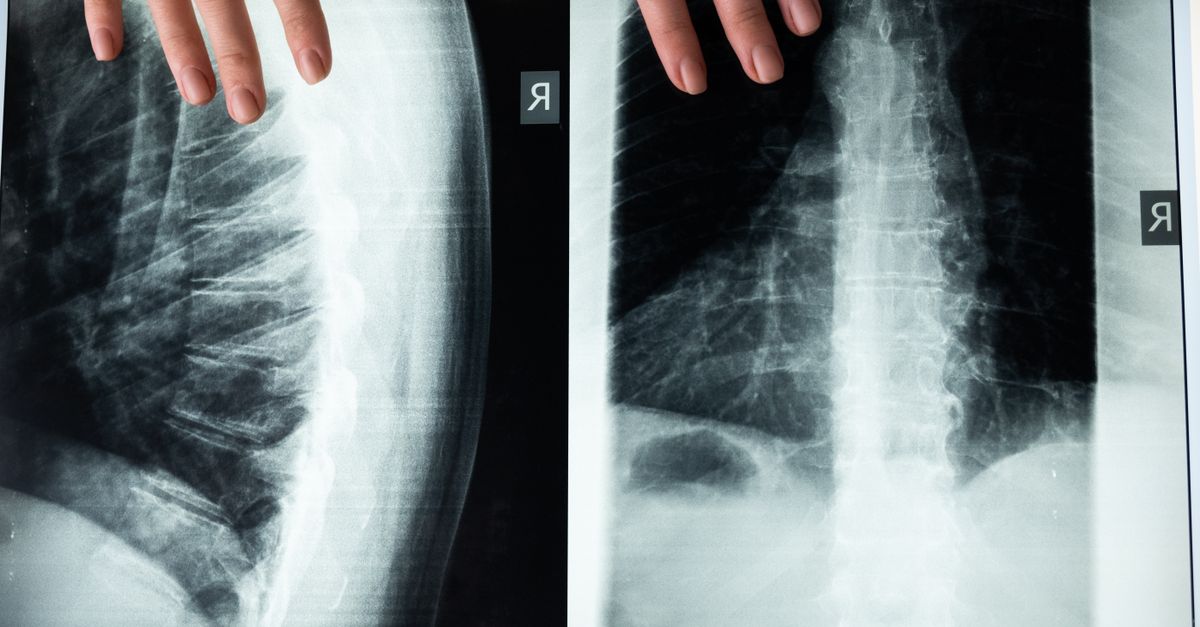
When a patient needs an X‑ray but prefers the comfort of their own home, the decision shifts from “do we get imaging?” to “how do we do it safely, securely, and compassionately?” This guide helps you evaluate portable X‑ray services, understand secure imaging reports, and ensure at‑home scans meet clinical standards while keeping costs reasonable.
Understanding the Need: Compassionate Imaging Care in Home Settings
Compassionate imaging care goes beyond producing an image; it respects dignity, reduces anxiety, and provides clear communication. In a home setting these factors are amplified—your patient’s living room becomes the clinic, so trust must be established from the first phone call.
Home‑based imaging is ideal for patients with mobility challenges, chronic illnesses, or those who live far from medical centers. It also lowers exposure to hospital crowds and infection risk. For instance, elderly patients often endure long waits in crowded waiting rooms; a mobile service eliminates that barrier entirely.
Key Elements of Compassionate Imaging Care
- Flexible scheduling outside business hours for caregivers or work commitments.
- Clear verbal and written explanations of the procedure and expected duration, including preparation steps such as removing jewelry.
- Secure, encrypted transmission of imaging data from scan to report.
- Follow‑up protocols mirroring in‑clinic care—telehealth calls or automated email summaries for result discussion.
- Respectful handling of personal space with drapes and defined boundaries for family members.
- Educational materials tailored to the patient’s literacy level so they understand the images.
When choosing a service, look for evidence that these elements are embedded in their workflow.
Key Features of Secure Imaging Reports
A mobile X‑ray unit must deliver reports that meet HIPAA standards and preserve clinical integrity. Reliable providers use end‑to‑end encryption and hold third‑party certifications for data handling, offering signed PDFs or PACS integration so clinicians can access images directly.
What to Verify in a Secure Imaging Report System
- HIPAA and GDPR compliance where applicable.
- Audit logs tracking every access with timestamps and user IDs.
- Digital signatures for authenticity.
- PACS or DICOM compatibility for seamless storage.
- Redundancy and disaster‑recovery plans to prevent data loss.
Selecting a provider that meets these safeguards protects patient privacy and your liability as a healthcare professional.
Evaluating Portable X‑Ray Services vs Traditional Clinics
The choice often comes down to cost, convenience, and quality. Portable units must match or exceed the imaging resolution of fixed hospital systems while maintaining safety protocols.
Use this checklist when comparing providers:
Comparison Checklist for Portable vs Fixed Units
- Image resolution (≥ 0.3 mm pixel size for chest studies).
- Availability of advanced imaging modes and low‑dose protocols.
- Technician qualifications—board certification or equivalent experience.
- Equipment maintenance schedule and vendor uptime record.
- Response time for urgent cases, including same‑day service guarantees.
A well‑maintained portable unit can produce clinically acceptable images if operated by a trained technician. Some complex diagnostics still require fixed infrastructure with larger field of view.
The Mobile X‑Ray Imaging Workflow
A streamlined workflow ensures timely, accurate results. The typical sequence is: pre‑visit preparation, on‑site imaging, data transfer, report generation, and post‑visit follow‑up.
- Secure scheduling and consent through a portal or encrypted email.
- Pre‑scan questionnaire covering medical history and contraindications.
- Technician arrival with calibrated portable unit; quick calibration check against phantom standards.
- Image acquisition following standard positioning guidelines.
- Immediate QA check for exposure, contrast, and coverage; re‑take if necessary.
- Secure DICOM transmission to PACS or cloud storage with checksum verification.
- Radiologist review and report creation using standardized templates.
- Delivery of results via encrypted patient portal or secure email, plus a brief summary for non‑specialists.
A good service will provide a digital log for every visit, documenting each stage for audit purposes.
Preparing Patients for Home X‑Ray: Practical Tips
Patient preparation can significantly improve image quality. Provide these simple steps ahead of time:
- Remove metal objects that could create artifacts.
- Wear loose clothing or bring a gown to avoid fabric interference.
- Inform the technician about recent surgeries or implants for appropriate exposure settings.
- Ensure the room is quiet, free from obstructions, and offers clear pathways for positioning.
A user‑friendly checklist reduces repeat visits and suboptimal images.
Cost & Insurance Considerations for Diagnostic Scans at Home
Pricing varies: flat fee per scan, hourly rates, or daily charges. Insurance coverage depends on medical necessity and accreditation of the practitioner.
Factors Influencing Cost
- Type of X‑ray—more complex studies cost more.
- Number of images—each additional image adds exposure time and data costs.
- Travel distance—many vendors add mileage surcharges.
- Equipment depreciation and maintenance—high‑end units carry a premium.
- Insurance reimbursement rates versus out‑of‑pocket expenses; some plans cover home imaging under durable medical equipment (DME) categories.
Negotiating a bundled rate that includes travel, equipment use, and data transmission often saves money and administrative effort. Request an itemized estimate before the visit and verify coverage by insurance or Medicaid/Medicare when applicable.
Common Pitfalls and How to Avoid Them
Even reputable providers can make mistakes—poor image quality, delayed results, or data breaches are common issues.
Top Mistakes in Mobile X‑Ray Services
- Using non‑calibrated equipment leading to inconsistent exposure.
- Failing to secure patient consent or privacy during the visit.
- Uploading images without checksum verification, risking corruption.
- Overlooking sterilization between patients, increasing cross‑contamination risk.
- Not providing clear follow‑up instructions, causing confusion about next steps.
Mitigation strategies:
- Document a calibration log for each unit before every service call.
- Store signed consent forms electronically in a secure EHR module.
- Automate checksum verification during upload; re‑transmit if mismatched.
- Follow strict sterilization protocols—wipe surfaces with hospital‑grade disinfectants between patients.
- Send personalized follow‑up messages detailing next appointment or contact instructions.
Implementation Checklist for Your Practice
If you’re ready to add mobile X‑ray services, this checklist keeps you on track from research to rollout.
- Define Clinical Scope: Identify which imaging types suit home settings and align with your mission.
- Select a Vendor: Apply the criteria above—request references, audit data security policies, confirm certifications.
- Negotiate Contracts: Include SLA clauses on turnaround time, downtime limits, encryption standards, and penalties for non‑compliance.
- Train Staff: Ensure technicians understand your workflow, privacy protocols, and emergency procedures.
- Integrate Systems: Verify PACS or cloud compatibility; test DICOM import/export with a sample study before launch.
- Communicate with Patients: Provide clear instructions, consent forms, contact info, and an FAQ sheet on the visit process.
- Monitor Quality: Conduct periodic image audits using objective metrics like signal‑to‑noise ratio; adjust SOPs as needed.
- Review Financials: Track cost per scan versus revenue, monitor insurance reimbursement trends, and refine pricing or bundling to maximize ROI.
This roadmap delivers compassionate imaging care that feels like a clinic visit without leaving the patient’s doorstep.
Compassionate, secure mobile X‑ray services can match or exceed fixed unit quality when chosen and managed correctly, ensuring patients receive high‑standard diagnostics in the comfort of their homes.In my experience, partnering with a mobile X‑ray provider that had rigorous data security and an integrated PACS reduced turnaround times for urgent cases by 30% while maintaining image quality. Patients reported higher satisfaction scores, which translated into stronger referral rates.
What challenges have you faced when integrating mobile imaging services into your practice, and how did you address them?Frequently Asked Questions
Browse answers to common questions about our services.